

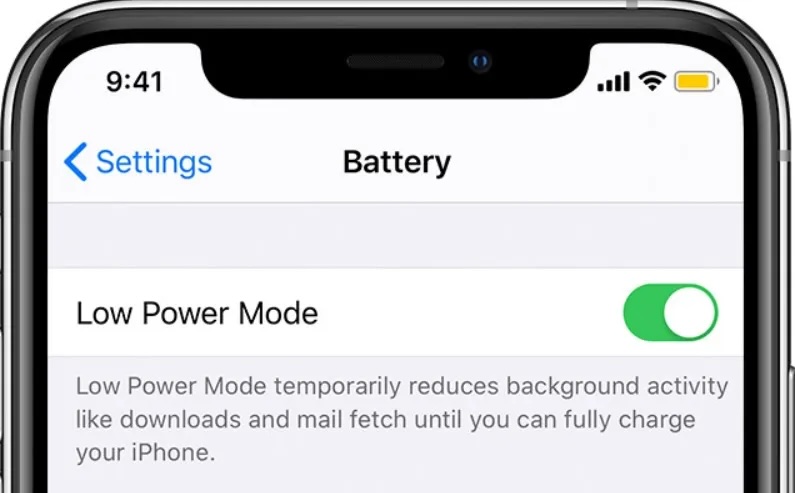
We’ve all been there, your iPhone battery starts to drop, and you're trying to stretch every last percent before reaching a charger. That’s when Low Power Mode comes in handy, a simple toggle that can help extend your phone’s life just a little longer.
But what exactly happens when you turn it on? Behind that yellow battery icon is a smart set of changes working quietly to conserve energy, and it’s more than just dimming your screen.
🛠️ Behind the Scenes: What It Actually Does
Once Low Power Mode is turned on, your iPhone quietly makes several changes to conserve energy. For starters, it slows down how often apps refresh in the background. That means apps like Instagram or Mail won’t automatically update unless you open them. It also pauses iCloud syncing and email fetching, you’ll need to manually check your inbox.
Your screen will lock more quickly (typically after 30 seconds), and visual effects like motion transitions and fancy animations get toned down to use less processing power. Even your processor runs at a slightly slower speed, which helps preserve battery but may make your phone feel just a tiny bit less snappy.
On newer iPhones, Low Power Mode also limits 5G usage unless absolutely necessary, and disables automatic background updates and downloads.
❓ Does It Affect Your Phone Long-Term?

Nope, Low Power Mode is completely safe. It doesn’t harm your phone, your battery, or your apps. It’s designed to be temporary and reversible. You can even choose to keep it on all the time if you're okay with slightly slower performance and fewer background updates.
For those using older iPhones or struggling with battery life, keeping Low Power Mode on for most of the day can actually help stretch out usage between charges, especially if you’re not doing anything too demanding.
💡 When to Use It

Low Power Mode is ideal for those moments when you're out and about with no access to a charger. It's great during travel, workdays, or social events when your phone needs to last longer than usual. Some users even switch it on the moment they unplug their phone in the morning, a small trade-off for lasting power throughout the day.
My Conclusion
Low Power Mode may seem like a small feature, but it does a lot behind the scenes to keep your phone going when battery life is critical. It’s subtle, smart, and user-friendly, just like most of Apple’s best features. So the next time your iPhone battery drops and you’re tempted to panic, don’t, just flip the switch and let Low Power Mode do the work.